What it runs
I’ve had it for three months and I use it as my homelab box. It runs pfSense, around 10 other containers and several VMs, all at the same time.
It just gobbles it all up.
Ryzen 9, 64GB of RAM, four network ports and three M.2 slots. A beast of a mini PC. For a home lab, it’s total overkill.
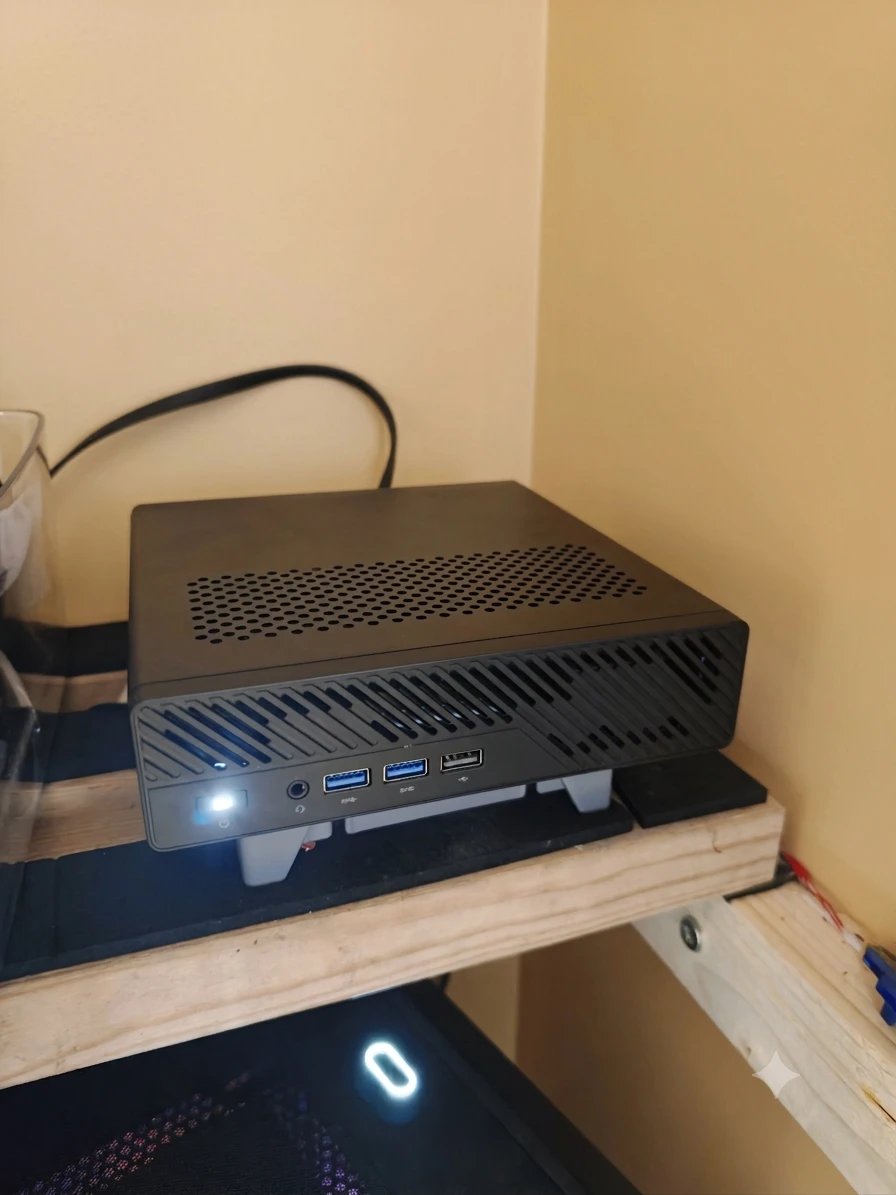
If your goal is to supply a football stadium with internet, get this. If you’re at home doing your homelabbing, look at something smaller.
No I wouldn’t buy it again.
I’ve had it for three months and I use it as my homelab box. It runs pfSense, around 10 other containers and several VMs, all at the same time.
It just gobbles it all up.
When I got it, the temperatures would get so high so easily. Just downloading something would kick it into the 90s°C.
So I put some quality thermal paste on it, and now it sits at 45°C, and 60°C at a push. If you buy one, it’s worth doing.
It can be a bit noisy. It wasn’t when I got it. I went into the BIOS and moved the fan curves around to keep it cooler, and that’s what made it louder.
It sits in my server room, so I don’t hear it anyway.
The two 10G Intel ports are a nice touch, as are the two 2.5G ports. Only one of the 2.5G ports is Intel, though. The other is Realtek.
It’s easy enough to find the right drivers for it, and it’s never caused a problem. Ever.
I put an Intel Arc A310 graphics card in it for Frigate, my camera software.
I also 3D printed a stand with a fan for it to sit on. It actually keeps the M.2 drives very cool.
All in all, while it’s doing its thing it uses roughly 60 to 100 watts. If that’s a concern for you, it can mount up when it’s on 24/7.
Rough maths: 80W around the clock is about 700kWh a year. I pay 34p per kWh, so that’s about £240 a year. Anywhere from £180 to £300, depending on how hard it’s working.
I’d say it is. It’s so easy to take apart.
It’s way overkill, especially since my PC is specced right out. I don’t use this beast of a machine anywhere near its full potential.
I’ve got a low-power Ryzen NUC-style box that could easily replace it and sip just 10W. That review is coming soon.
Minisforum’s numbers, my setup, and what I actually found.
| Minisforum says | What I found |
|---|---|
| 16-core Ryzen 9 9955HX | Runs everything I throw at it at once. Way more than I need. |
| Compact workstation | Hit 90°C just downloading. Fine after new thermal paste: 45°C, 60°C at a push. |
| Dual 10G and dual 2.5G networking | Great, though one 2.5G port is Realtek. The drivers were easy to find and it’s never caused a problem. |
| PCIe slot for a graphics card | My Arc A310 for Frigate fits fine. |
| Three M.2 slots | Kept very cool by the fan on my 3D-printed stand. |
Specs are Minisforum’s published figures. RAM, graphics card and power draw are from my own machine.
After three months as my homelab box.